Showing posts with label scavenge. Show all posts

Tuesday, July 11, 2023

Day 3 - Director / Camera

There is already a class named "Window" in Leadwerks (and probably every other game engine out there), so I first called this camera class a "CameraManager" but I ended up renaming it to "Director" because a director controls the scene (via camera) and because it's a shorter name. I'll be honest about that part.

List of classes at this time:

Scavenge
Game
Settings
Inputs
Director

I didn't know exactly how to approach the camera issue, so I created the Director class to handle multiple camera situations and scenarios. If I don't have a character to control (I don't even have a ground to land on yet) then I need at least a default camera.

Therefore, the default camera is being created as a debugging spectator camera. In the future, the Director will be responsible for creating a camera if none exists, and it can act as a manager (right now, it creates the only camera). What I mean by "manager" is that the Director can be responsible for render targets, switching camera targets, projecting/unprojecting, and so on. This is a long written way of saying; I made a class, it creates a camera that normally wouldn't exist, but I need it for debugging, and this class will still be useful in the future. Phew!

Along the way I also slightly rewritten the Inputs class, specifically the portion that involves the input bindings, and I'm glad I did. I had to expand the input binds to create keybinds for a flying camera that can ascend and descend. It went from my ugly previous mess, to establishing keybinds in this way:

std::unordered_map<int, std::string> binds = {
    { ACTION_WALK_FORWARD, "walk_forward" },
    { ACTION_WALK_BACKWARD, "walk_backward" },
    // ...
};

I apologize, but I still haven't found a way on Blogger to present code with pretty colors. Once I've established myself more (remember, I started 3 days ago) I plan to share code snippets and tools with the Leadwerks Community, so I will be linking to those in the future.

A lot of future talk in this article; that means I need to push forward.

Next article will be about LUA, my classes, and "Leadwerks Ultra Engine"


Monday, July 10, 2023

Simple Key Binds

 Don't do what I did and start working on keybinds without a plan. I regret it, but I'm fine with the result for now. I will have to expand the "Inputs" class to work with Leadwerks::Object's and then each object can listen for key events. The current class still makes it possible to receive events for all keybinds.

My settings file now has the following added:

jump=32, 0, 0
walk_backward=83, 0, 0
walk_forward=87, 0, 0
walk_left=65, 0, 0
walk_right=68, 0, 0

These represent "key code", "control key", "shift key" and this is enough for my purposes.

I have also included mouse sensitivity settings, and Y-axis invert option. They exist only in the settings, because I haven't done anything with mouse input, but it will be added into this new Inputs class.

I did not see a way to attach to an event to a generic key event, so the Inputs class is mostly responsible for determining actions and binds based on the settings. The Game class is handling the window and input events, and emitting a action event if any of the keys bound are pressed.

Since I didn't plan anything at all before starting the Inputs class it could have been created better, but I don't care right now. In the end I needed an action map, and a binding map. Available functions at this time:

Inputs(const Settings* settings);
const std::vector<Input>& GetBinds(); // binds
const int* GetActionMap(); // action map
const int GetActionKey(const std::string& action); // get key for action
const int GetAction(const std::string& action); // get action from map

The Game class is currently responsible for determining window key actions against binds. An event is emitted when a key that is bound to an action is pressed. Next I need to capture mouse events.

I also need to work on a couple major pieces to this game: Camera, and Player.

A default Camera would work just fine for now, but later the Camera should be part of the Player. I may start with a default "Spectator" camera, because I don't always want to look around like a player. That would be a nightmare for debugging.

Milestones: Camera, Scene/Map, Player


Day Two

 I finished the day yesterday adding a "Settings" class to handle user defined settings, and in the future key binds. I also added helpers to print logs to the console that includes the file path, time, line, and the message. I recommend making your own console logging method. Friends had suggested libraries, but they keep forgetting I'm not making any type of engine or editor. I'm just making a game, and I don't think I need anything elaborate for debugging. Not to mention I have Visual Studio.


At the moment the settings file looks like:

anisotropy=0
antialias=0
fullscreen=0
height=768
light_quality=1
maxfps=0.000000
terrain_quality=0
texture_detail=1
title=Scavenge
trilinear_filter=0
vsync=0
water_quality=1
width=1024

These settings are not yet applied, but that begins to describe the plans for today.

I should say, a few of these are already implemented as part of the game initialization process, but the rest of the settings need to be applied. Otherwise the application will revert to the default settings even if the user saved custom settings.

That brings me to key binds. I'm not sure how to approach this yet, but I'm brainstorming.

I will write another article at the end of the day to update my progress!


Sunday, July 9, 2023

Critical Error

 My disclaimer was a good call when I had posted that last article. In my rush to post an article about the Scavenge and Game classes (Scavenge will eventually have a class) I forgot to make a destructor for Game, and delete the world, context, and window.

Game::~Game()
{
  delete world;
  delete context;
  delete window;
}

This is called in Scavenge when the game loop is ended (game->Power() == false) and delete game; is executed before exiting. Memory leaks aside I'm ready to go.

Compared to the example code provided by Leadwerks Project Manager there is a "System" static class that includes "AppName", "LoadSettings()", "AppPath", "ParseCommandLine()", "GetProperty()", "SaveSettings()", and "Print()." I will take a look into the API documentation and expand my Game class.

I want to take advantage of settings if Leadwerks already provides a class. I might as well take as much advantage of Leadwerks as possible, and I can also take advantage of "Print()" to do a bit of custom logging.

Back to work I go!


And We Begin

 I began by deleting the files created by the Leadwerks Project Manager. I simply want to start with my files and entry point.

I created "Scavenge.h" and "Scavenge.cpp" which will serve a few purposes in the future, but is also my entry point.


This leads to the "Game" class that you see in the source code.

Essentially similar to the provided "App" class, this is a simple class that creates the window, creates the context, creates the world, and then updates the time, updates the world, renders the world, and updates the context. A simple version of this is provided by the Leadwerks API found here: https://www.leadwerks.com/learn?page=API-Reference_Object_World_Create

I am searching a reliable way to share the "Game" class, so for now, here is a screen-shot of the header:


The "Game" class isn't complicated, and while I was creating it I had another nostalgic moment thinking about older games. Therefore I built the class thinking of a console (Nintendo?) powering on, and off. I may perhaps even add a way to "insert" a class considered to be a "Cartridge." Who knows?

Compiling, no errors, and the window launches. If I click the close button on the window or hit the escape key the program ends without issue. I am ready to continue, but I have some thinking and planning to do, and that may involve something similar to the game "cartridge" idea.


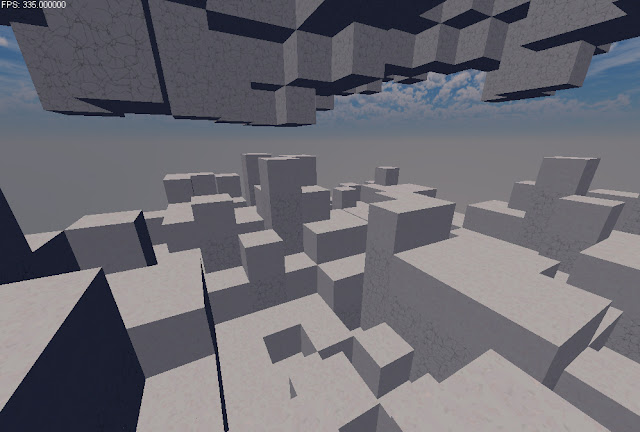
3D Landscape Basic Textures

 I thought I would add a couple textures so it wasn't just white. This is by no means a representation of what the landscape will look l...